


.png)
Robots are everywhere today. Sometimes they're our best asset; other times, they're our biggest frustration.
We rely on them to lighten our workloads, yet we increasingly find ourselves arguing with them—and resenting it when they replace genuine human connection.
In today’s newsletter, we’re sharing a few real-world stories from our agency to highlight exactly where machines elevate our work, and where they actively cause harm.
Algorithms and systems are inherently neutral. Despite how it feels during those bizarre everyday chatbot encounters, they are simply tools. Ultimately, they help or hinder based entirely on how we choose to deploy them.
When machines help #1: Ending the spreadsheet grind
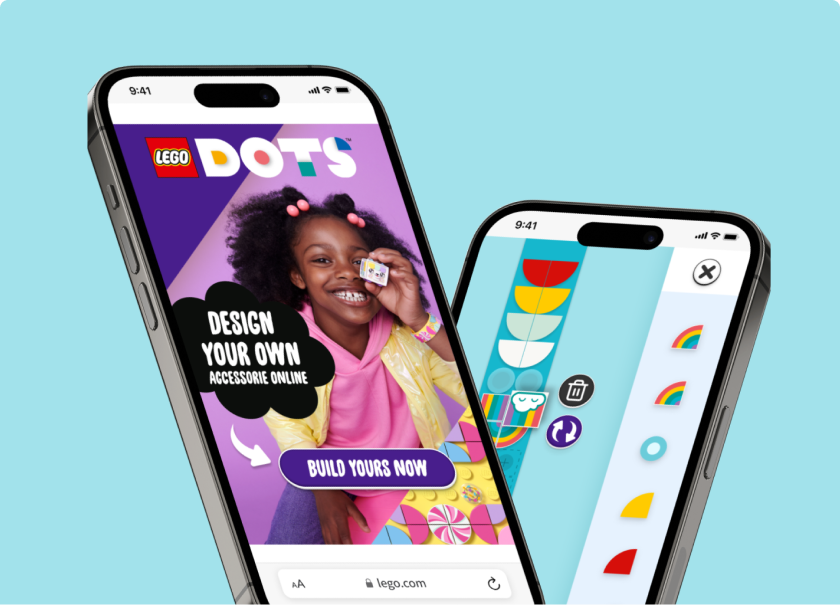
At The LEGO Group, managers and business partners were losing countless hours wrangling data. Dozens of global e-shops and marketplace partners were submitting reports in varying formats, structures, and timelines. Some teams entered data manually, while others exported it directly from their internal systems. Instead of providing a clear, high-level overview, this chaotic workflow simply spawned more spreadsheets, endless manual verifications, and frantic hunts for discrepancies.
Our Business Intelligence platform streamlined the entire operation. The system automatically collects, verifies, unifies, and preps the data for immediate use. Partners no longer waste time building custom reports to satisfy shifting requirements, giving managers instant access to current, easily comparable metrics.
For the client, this eliminated the workload of a full-time employee and entirely bypassed the need for an external data-processing agency. Today, the platform connects over 50 e-shops and marketplace partners worldwide. By utilizing this system, The LEGO Group saves roughly 300,000 crowns monthly. Factoring in the time reclaimed by all involved partners, the entire ecosystem saves nearly 1.9 million crowns every single month.
Ultimately, teams waste less time hunting for errors or debating reporting discrepancies. Partners benefit from frictionless collaboration, and LEGO maintains a faster, clearer overview of its global performance. Most importantly, trust has deepened: partners know precisely what data they are submitting, and LEGO knows the numbers remain entirely uncompromised.
Technology didn't replace human workers here; it simply handed them their time back so they could focus on work that actually matters.
When machines help #2: Driving real-world foot traffic
Digital marketing doesn't always have to end at an online checkout. Our client, the building materials retailer PRO-DOMA, wanted to leverage digital tools to drive physical foot traffic to their branches. Customers generally prefer to inspect building materials in person, consult with an expert, and make their purchasing decisions on the spot. This is exactly where PRO-DOMA held the competitive edge: they boasted knowledgeable staff, a massive inventory, and physical yards where experienced salespeople consistently delivered exceptional service.
When they approached us, they didn't even have a functional e-shop. Rather than forcing online orders, we designed a geolocation campaign linking search, social media, and their website directly to specific physical stores. We targeted ads to local demographics, captured high-intent local search queries via PPC, and used the website to clearly articulate why a trip to a PRO-DOMA yard was worth the drive. Here, the digital space didn't replace the physical store—it served as its digital shop window.
To verify that these campaigns were successfully driving physical visits, we tracked more than standard web inquiries. We measured high-intent actions like branch phone calls, requests for driving directions, and copied contact details. Simultaneously, the physical stores tracked offline interest in the specific products we promoted online.
The results? Store footfall surged by 104%, and the client’s revenue grew by 45%. Machines didn't replace the sales team; instead, they delivered primed customers right to the front door, allowing the staff to do what they do best.
When machines help #3: The robot archivist
OSA’s information was scattered across multiple websites, PDF documents, physical magazines, yearbooks, and historical media archives. For both the public and internal employees, this meant the right answer was out there—but finding it required excessive time, a deep understanding of complex website structures, and a stroke of luck. To complicate matters, the files frequently lacked proper metadata, leaving standard search engines completely blind.
To solve this, we deployed a smart search engine that consolidated twelve different sources into a single search bar. First, an automated crawler scrapes the content, pulling in historical archives via XML data. Then, AI takes the reins. It reads every document, maps its structure, and generates a clean, highly readable title and summary. This enriched data forms an index that our proprietary engine, Search Ready, utilizes to deliver precise answers.
Today, search results appear with full context, targeted tags, and file-type icons. Instead of staring at cryptic file names, users see a clear headline and a helpful summary, immediately knowing whether they are clicking a news update, a feature article, or a dense PDF.
The machine isn't generating content or replacing the editorial team. It’s simply acting as a highly efficient archivist—one that never gets cranky. It sorts, names, and highlights relevant documents, breathing new life into forgotten historical records. Readers find their answers faster, employees no longer dig through massive archives by hand, and the organization finally established order across data they’ve owned for years.
When machines harm #1: Delegating human negotiation
We've recently seen an absolute flood of "personalized" sales pitches generated by artificial intelligence. You can spot them instantly. They feature overly enthusiastic praise for your company, a couple of generic lines scraped directly from your homepage, a forced buddy-buddy tone, and a pushy meeting invite. Technically, the grammar is flawless. Practically, it’s painfully obvious a human was nowhere near the keyboard. A trained eye feels the disconnect immediately.
The core issue isn't the technology. The problem arises when salespeople attempt to automate the exact part of the process that fundamentally relies on trust. The prospect realizes almost immediately that no one took the time to genuinely research their business. The trust required to close a deal evaporates before it can even form.
Smart salespeople leverage AI differently. They use it to qualify leads, flag buying signals, analyze company backgrounds, or draft a baseline outreach message designed solely to start a conversation—not to close a sale. But when it comes to the actual outreach, they take the wheel. They rewrite the text, inject authentic insights, and send it under their own name as a living, breathing professional.
In short: AI is a fantastic research assistant for a sales meeting. But the moment you make it your lead negotiator to fake human connection, it backfires. People will gladly forgive a slightly clunky email from a real person, but they will spot a flawlessly artificial message from a robot and delete it on sight.
When machines harm #2: AI-generated project briefs
We’ve recently noticed a worrying trend: clients using AI to write comprehensive project briefs before handing them over to a development agency. At first glance, the output looks fantastic. The document is ten pages long, packed with modern tech buzzwords, and appears highly professional.
Yet, almost every time, it fails to answer the single most important question: what actual business problem are we trying to solve? AI is excellent at describing app features, UI screens, and tech stacks, but it possesses no situational awareness of how a specific company, its customers, or its internal processes actually operate. The result is typically a brief built entirely on assumptions, designing a complex solution for a problem the client doesn't even have. Worse still, these briefs are often padded with unnecessary features, artificially inflating the project's cost for no reason.
When we finally sit down to kick off the project, a few hours of collaborative workshops usually reveal a completely different reality. A client might request a brand-new internal system, when their real issue is just disconnected data silos. They might ask for a custom web app, when they merely need to automate their order processing. Or they might demand advanced functionality their employees will actively avoid using.
AI is a brilliant tool for prepping notes, summarizing rough requirements, or brainstorming initial concepts. But it should never replace a candid conversation between a client and the experts tasked with designing their solution.
While a machine can instantly spit out answers, an experienced consultant knows how to ask the right questions. And it’s exactly those right questions that ultimately save companies hundreds of thousands of crowns in misguided development costs.
Conclusion
Today’s stories all share a common thread. In every scenario where the technology succeeded, it took over routine tasks, heavy administration, or raw data processing. But whenever it caused problems, it was because someone tried to use it to replace human judgment, build authentic trust, or understand complex, real-world problems.
Perhaps the most pressing question right now isn’t what artificial intelligence is capable of doing. The better question is what we should actually trust it to do in the first place.
Because a customer doesn’t need a robot to fire off a flawless email; they need a service team that remembers them at exactly the right moment. A manager doesn’t need another spreadsheet; they need clear, decisive data to make a call. And a company doesn't need a ten-page, AI-generated brief; it needs a strategic partner who truly understands what's holding them back.
If you're looking for a partner who knows how to use machines exactly where they help, get in touch. Together, we can plan your next digital project.
.png)

.png)

.png)


.png)


